




- Published on: 2026-11-06 15:10:00
How to Change Your Phone Number
Keeping your personal information up to date, such as your phone number, is crucial for maintaining account security and ensuring smooth communication regarding your trading activities. For traders on the platform, changing your phone number is a quick and straightforward process that can be done directly from the client portal.
Here is a complete step-by-step guide on how to update your phone number:
1. Visit the Official Website and Log In
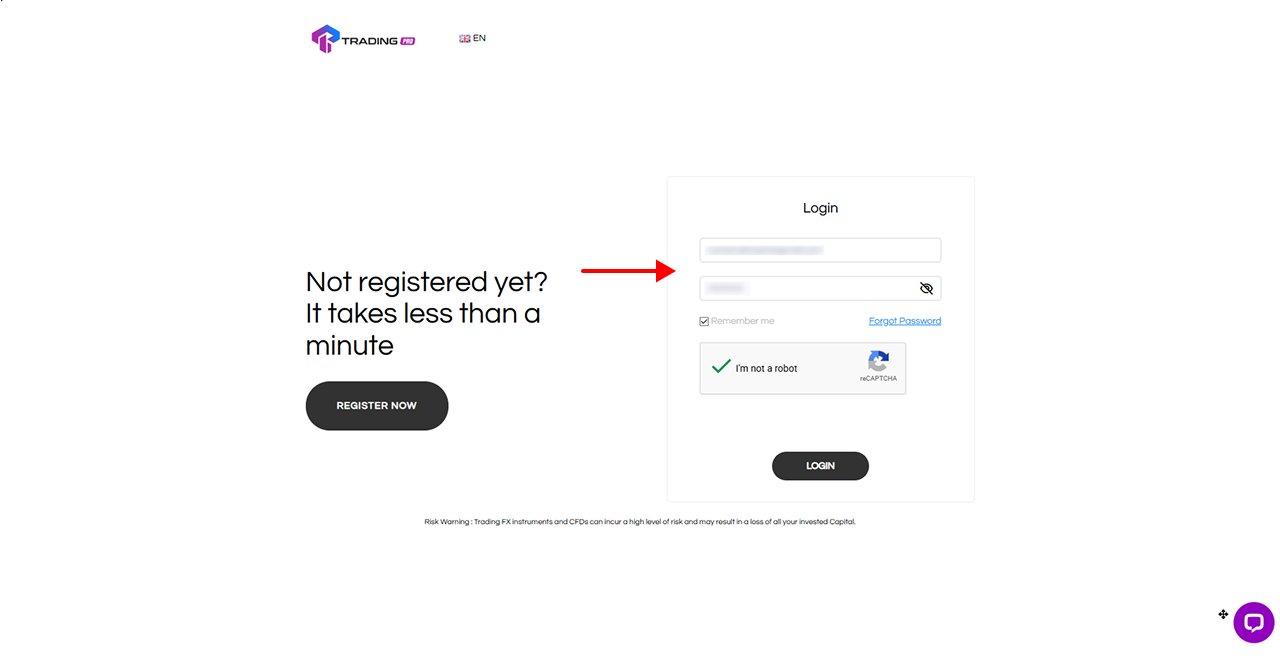
First, open your browser and go to the website. If you already have an account, click the Login button. If you are new, you can register for an account first.
2. Fill Out the Login Form Completely

On the login page, enter your registered email address and password. Don't forget to check the "I'm not a robot" (reCAPTCHA) box for security verification, then click Login.
3. Access the Profile Menu in the Client Portal
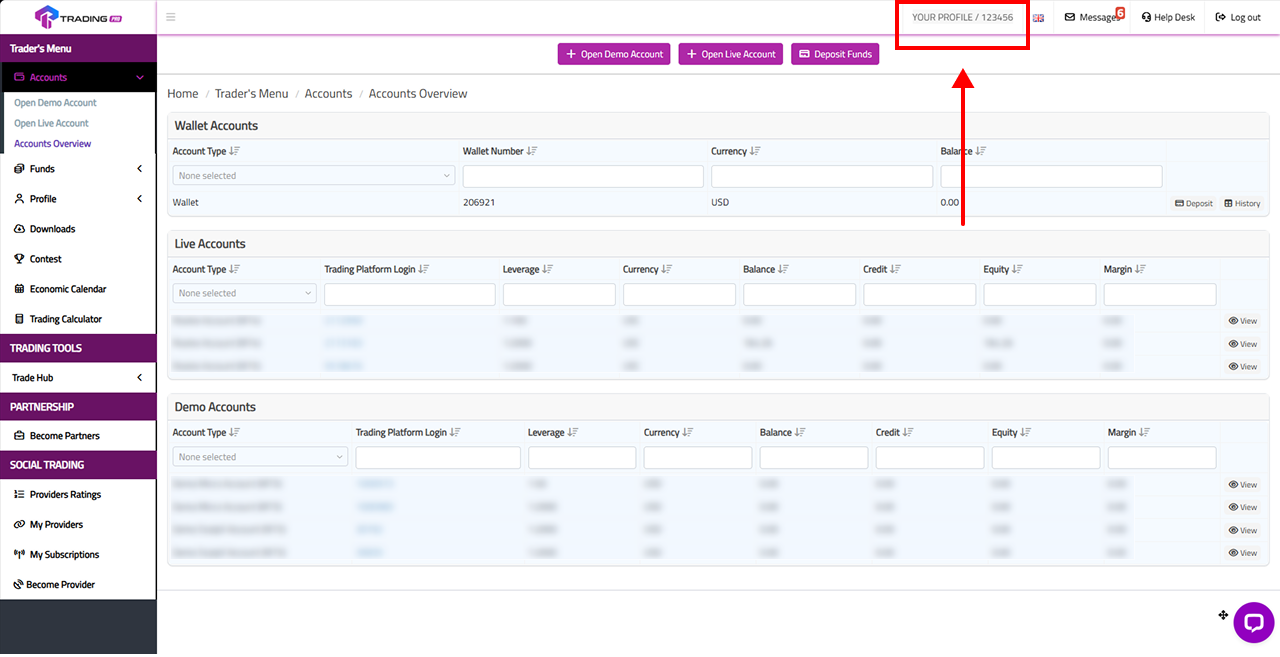
Once you have successfully logged in, you will be directed to the Client Portal dashboard. Look at the top right corner of your screen and click on your Profile Name to access your profile settings.
4. Select the Phone Number Change Option
On the Profile Information page, you will see your personal details. Scroll down to find the Phone Number section. Click the Change button or text located to the right of your currently registered phone number.
5. Request a Verification PIN via Email
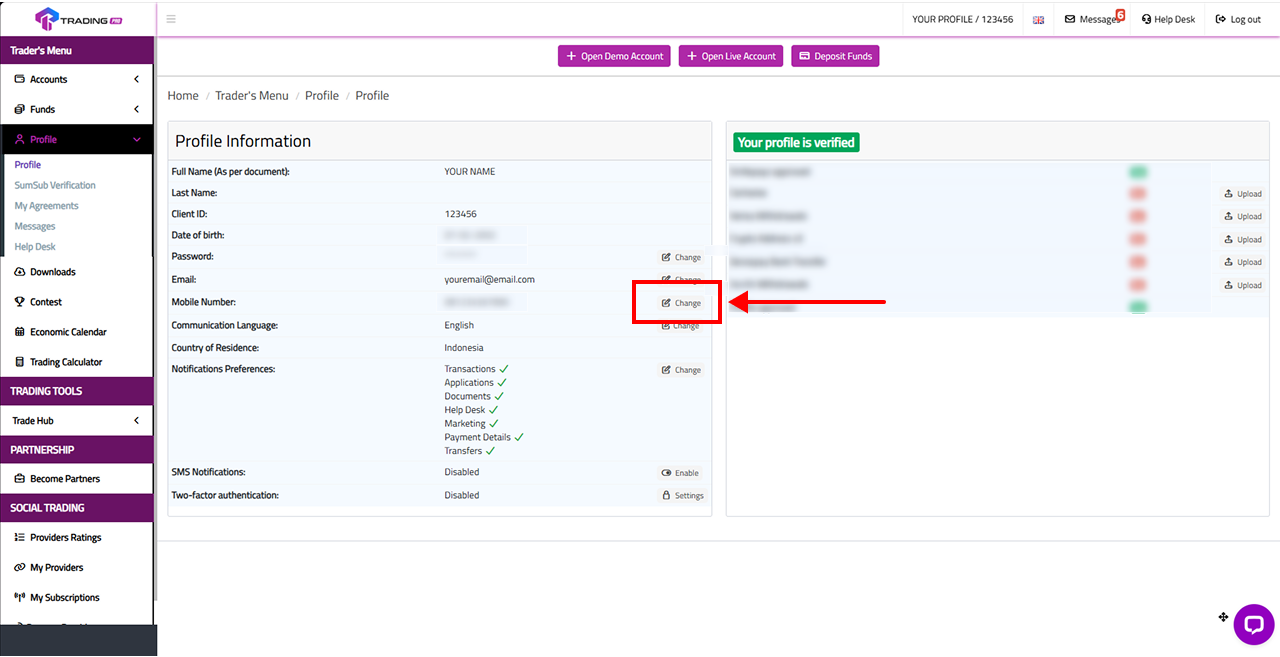
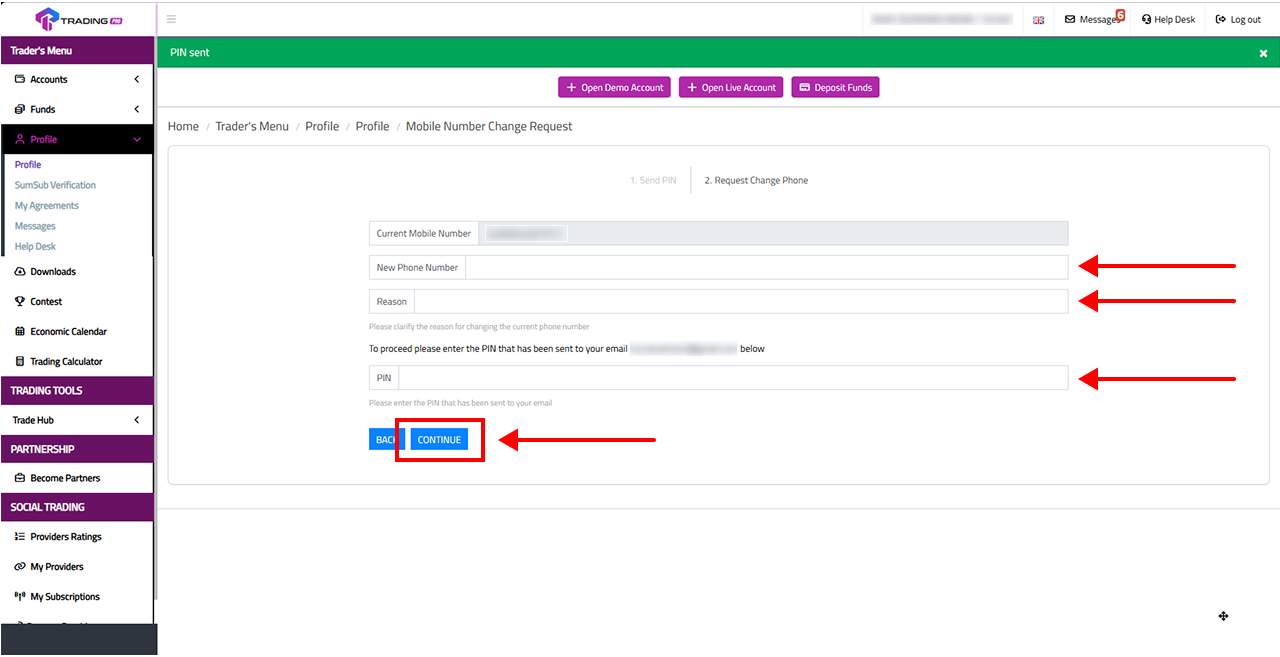
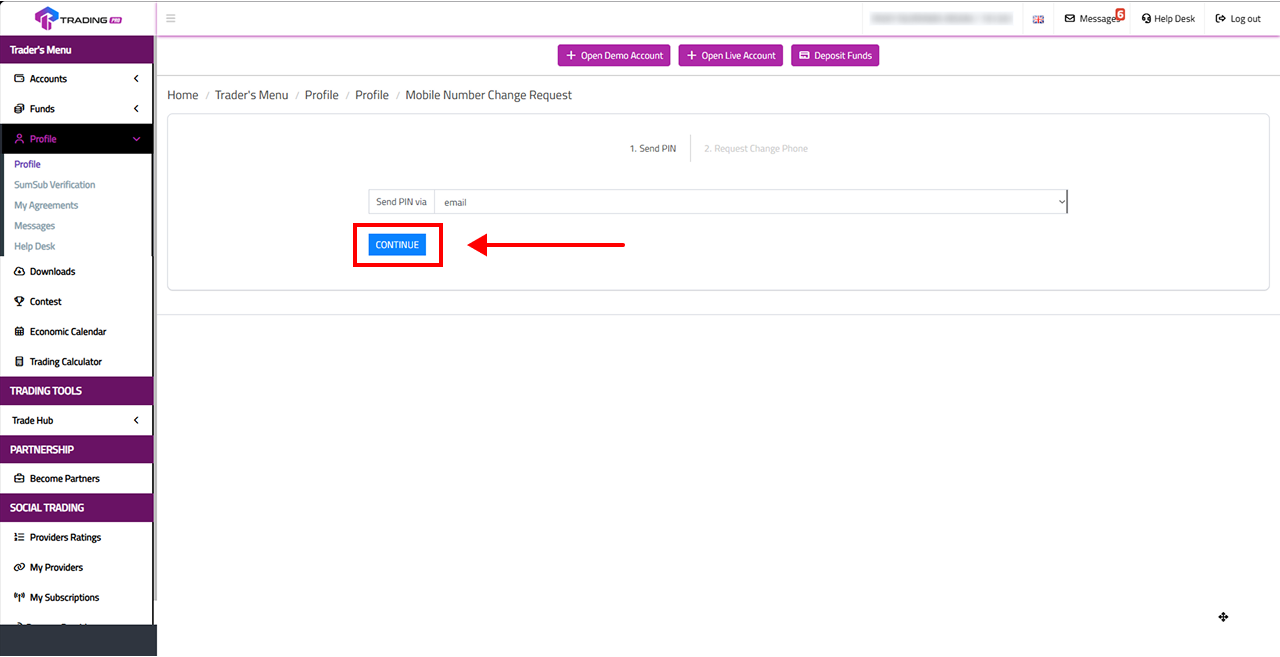
To ensure the security of your account, the system requires verification before any changes can be made. In the Mobile Number Change Request menu, you will be prompted to send a PIN. Choose the delivery option via Email, then click Continue (or Send).
6. Check Your Email and Copy the PIN Code
Open a new tab and go to your email inbox. Look for a message from containing your verification PIN code. Highlight and copy the code.
7. Enter Your New Number and Reason for Change
Go back to the Client Portal. Paste the PIN you just copied into the designated field. Next, enter your New Phone Number and provide a Reason for the change. Submit and save your changes.
You're all set! The phone number on your trading account has now been successfully updated. Make sure your new number remains active so you never miss out on important information or notifications regarding your account.


